
Slides
Full decks. My timing, your beat.
Slides, sound, camera, overlays. I fire every cue. You just perform.
Go on. Press it.
Made for iPhone and iPad · iOS 18 and up · One month free with Stripe signup · Android coming soon
☠️ Killian takes your AV dead serious.

I used to reap souls. Now I reap dead air, tangled cables, and missed cues. Better hours, same scythe.
You build the cue list. I stand by. You hit GO. No missed cues. No mercy.
One list runs the whole night. I keep your place.
Full decks. My timing, your beat.
Tracks and stings, faded like a pro.
Rolls clean. Ends clean. No desktop leaks.
Your camera on their screen, instantly.
Broadcast lower thirds on your own show.
Countdowns that keep you honest.
A score that follows the moment.
The audience votes. I count.
One GO fires all of it in order.
Hands full? Mid trick? Mid song? I’m listening.
One tap. Next cue fires.
Say the word. I hear you.

Hold up a prop. I see it.
Timers and remotes count too.
Tap Learn, press the button, it’s yours. Single, double, triple, quad, hold. I catch them all.
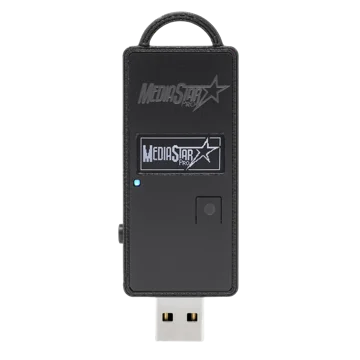
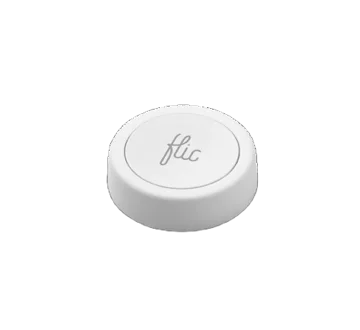
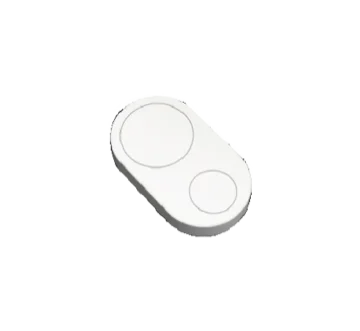
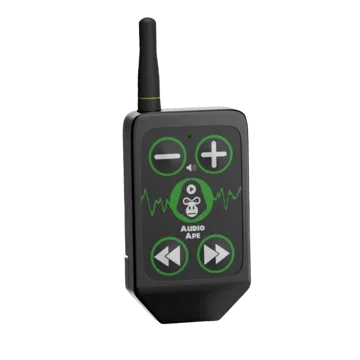
Aim a phone’s browser at a link. Now it’s a camera. I do the switching.
A word, a click, or a prop I spot. Cut or crossfade, on the cue. Wi-Fi and IP cameras, Continuity Camera, and USB capture join too.
Type what the show is. I build the cue stack. You get your weekend back.
Powered by your own AI keys (ElevenLabs, Suno, OpenAI). Stored on your device, never shared. Killian just does the asking.
Your audience scans a QR, votes from their phones, and the results hit the big screen. Branded like it’s all yours.
No app to install. They scan, they tap, they’re in.
Live polls · Number reveals · Word clouds Their phones. Your brand. My counting.
No mockups. This is the app you download.


Matt “Crash”, after doing his best to break it on camera.
“I’m starting to have trouble breaking it…”
No AV crew. No problem. You have me.
Pro rig, pro op, pro headaches.
Everything on the left. In your bag.
| Cue Killer | Traditional show-control rigs | |
|---|---|---|
| Price | One month free, then $12 monthly or $120 yearly | Hundreds to thousands in licenses |
| Runs on | The iPhone & iPad you already own | A dedicated Mac + a booth desk |
| Who runs it | Just you. From the stage | Usually a separate operator |
| Learning curve | Learnable in a night | Built for technicians |
| Hands-free triggers | ✓ Voice & prop, built in | ✗ Not really |
| Cinematic transitions | ✓ Crossfade & dip-to-black, on a cue | Possible, with real setup |
| Broadcast overlays & QR | ✓ Lower thirds, live text, QR codes | A separate graphics tool |
| Learn-any-remote | ✓ Any Flic / Bluetooth clicker | Extra hardware & setup |
| Setup to first cue | Minutes | An afternoon. Or a hire |
| Fits in your bag | ✓ | ✗ |
Same outcome. A show that never misses a cue. Try every feature free for a month on the device already in your pocket.
Go Button imports near identical. Fades, trim, volume, pre waits, auto follows, colors. All kept.
CSV works too, and .stagecue and plain JSON round trip. Minutes, not a rebuild.
Help lives inside the app and answers now, not in two business days. A human is behind support too.
doors in 5 and my camera won’t go live
Breathe. Console, then the camera tile. Green tally means you’re live.
you’re a lifesaver
Wrong job. But close.
Monthly and yearly plans include a free month for eligible accounts. Or buy lifetime access for $350, charged once at purchase.
$12/month
cancel whenever
$120/year
that’s $10 a month, saves $24
$350one time
lifetime access, no recurring charge

This is the last cue. Press it.
House lights up. Thanks for coming.

